Topics Covered:
Helpful tools for this guide
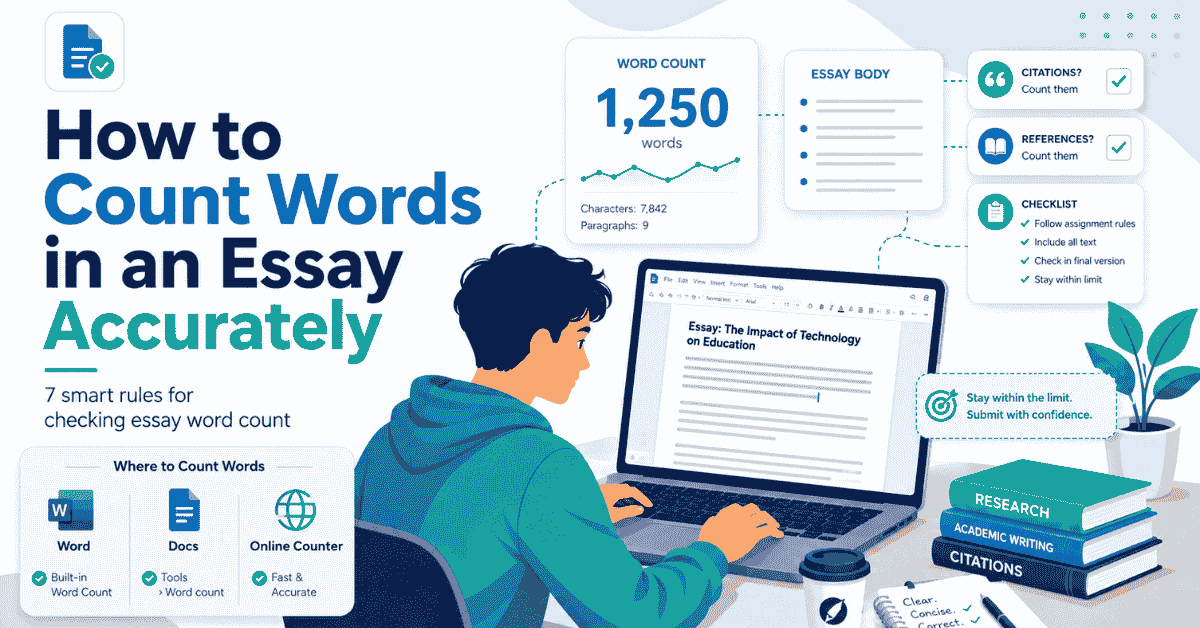
Quick answer: to count words in an essay accurately, first check what your assignment says must be included. Then count only those sections using the same method you expect to rely on at submission. Microsoft Word, Google Docs, and online counters can show different totals because they do not always treat document elements in the same way.
The safest rule is simple: your assignment policy decides what counts; software only measures the text it can see.
If you want a quick independent total while editing, paste the relevant section into the CountFlows Word Counter. Then compare the result with your course rules before treating it as your official submission total.
How to Count Words in an Essay Quickly
- Open the assignment brief.
- Find the exact word-limit rule.
- Identify which sections count and which are excluded.
- Select or copy only the required text.
- Check the total in Word, Google Docs, or a word counter.
- Count again after your final edit.
Do not start by asking, "What does Microsoft Word say?"
Start by asking: "What does my assessment rule say should be counted?"
A document can contain 2,100 words while the official assessed total is 1,750 if the policy excludes references, appendices, or other sections. The reverse can also happen if your software leaves out text that the institution expects you to include.
Which Word-Count Rule Takes Priority?
When different sources give you different answers, use this order.
| Priority | Source | Why It Matters |
|---|---|---|
| 1 | Specific assignment brief or rubric | It applies directly to the work you are submitting. |
| 2 | Module or department guidance | It may define assessment-specific counting rules. |
| 3 | University or institution policy | It provides the wider academic rule. |
| 4 | Instructor clarification | Useful when the written instructions are genuinely unclear. |
| 5 | Software or online word counter | It measures text but does not create your academic policy. |
This prevents a common mistake: finding a general rule online and using it even though the assignment brief says something different.
7 Rules for an Accurate Essay Word Count
1. Read the wording of the limit carefully
A maximum, a target, and a range are not the same instruction.
| Instruction | How to Read It |
|---|---|
| Maximum 2,000 words | Do not assume you may exceed 2,000 unless the policy explicitly allows it. |
| 1,800 to 2,000 words | Stay inside the stated range. |
| Approximately 2,000 words | Check whether the module defines a permitted tolerance. |
Do not invent an allowance simply because another course or university uses one.
2. Separate the document total from the assessed total
Your file may contain a title page, essay body, quotations, citations, references, tables, notes, and appendices.
The total shown by your editor may include some of those items even when your academic policy excludes them.
Think of these as two different numbers:
- Document total: what the software counts.
- Assessed total: what your assignment rules say counts.
3. Do not automatically remove citations
In-text citations commonly form part of the assessed text at some universities. UWE Bristol, for example, currently states that in-text citations and quotations are included in the assignment word count.
Southampton also advises that in-text references and citations normally count while the final reference list normally does not.
These are useful examples, not universal rules. Your own assessment instructions still take priority.
4. Treat references, footnotes, headings, tables, and appendices separately
These are the sections most likely to create confusion because policies vary.
Do not assume that a bibliography is excluded just because another university excludes it. Likewise, do not automatically count every heading, table caption, note, or appendix.
Check each category against the actual assessment instructions.
5. Use the submission environment as your final reference point
During drafting, you can use any reliable counter that helps you edit. For the final check, however, it makes sense to use the format and software closest to the method required by the assignment.
If you must submit a Word document and your course expects a Microsoft Word count, verify the final .docx in Word. If the instructions specify another method, follow that method instead.
6. Do not panic over a small difference between tools
Counting systems can disagree because they may process document elements, punctuation, special formatting, or non-body text differently.
A difference does not automatically mean one tool is broken. First identify what each program is actually counting.
7. Recount the final submitted version
The count from yesterday's draft is irrelevant if you later added two citations, removed a paragraph, changed a heading, or rewrote the conclusion.
Run the check again after the final proofread and before uploading the file.
What Usually Counts Toward an Essay Word Limit?
There is no universal academic rule covering every institution. The table below is therefore a starting point, not a policy.
| Essay Element | Common Treatment | Safest Action |
|---|---|---|
| Introduction | Usually included | Count it |
| Main body | Usually included | Count it |
| Conclusion | Usually included | Count it |
| Direct quotations | Commonly included | Check course guidance |
| In-text citations | Often included | Check course guidance |
| Title | Varies | Check the brief |
| Headings and subheadings | Varies | Check the brief |
| Tables | Varies | Check whether table text is assessed |
| Figure or table captions | Varies | Check the policy |
| Footnotes | Varies | Check both academic policy and software behavior |
| Reference list | Often excluded | Confirm before excluding it |
| Bibliography | Often excluded | Confirm before excluding it |
| Appendices | Often treated separately | Check the assessment instructions |
Do Citations Count in an Essay Word Count?
They can.
The phrase "citations don't count" is too broad because several different things may be described as citations.
| Item | Example | Possible Treatment |
|---|---|---|
| In-text citation | (Smith, 2025) | Often counted, but verify locally |
| Narrative citation | Smith (2025) argues... | Often part of the sentence and count |
| Direct quotation | Quoted text inside the essay | Commonly counted |
| Reference entry | Full source in final reference list | Often excluded |
| Reference-only footnote | Source information in a footnote | Varies by institution |
The safest question is therefore not "Do citations count?"
Ask: "Which type of citation does my assignment policy include?"
Microsoft Word vs Google Docs vs an Online Word Counter
All three can be useful, but they are not interchangeable in every situation.
| Method | Useful Feature | Important Limitation |
|---|---|---|
| Microsoft Word desktop | Counts the document and selected text | Your university may still exclude parts Word has counted |
| Word for the web | Convenient live count | Microsoft says its web count can be approximate for some document areas |
| Google Docs | Document and selected-text counting | Normal count excludes headers, footers, and footnotes |
| CountFlows Word Counter | You control exactly what text you paste | It cannot know your university's assessment policy |
Microsoft Word
Microsoft Word shows the document count while you type. You can also select one section and see the count for that selection, which is useful when the bibliography should not be included.
Microsoft also notes an important distinction for Word for the web. Its count can be approximate because some areas, including text boxes, headers, footers, and SmartArt, may not be included. For a strict requirement in a complex Word document, check the desktop file rather than assuming the web count is identical.
Google Docs
In Google Docs, open Tools > Word count. You can also select a section first when you only want that portion measured.
Google's current documentation says that, unless you select a specific section, the normal count applies to the document except for headers, footers, and footnotes.
This creates an important academic distinction. Google Docs may omit footnotes from its displayed total even if your course policy says those footnotes belong inside the assessed limit.
CountFlows Word Counter
A pasted-text counter is useful when you want full control over the material being measured.
For example, if your instructions say to count the essay body and in-text citations but exclude the reference list, copy exactly those required sections into the Word Counter.
Worked Example: A 1,500-Word Essay
Imagine your final document contains:
| Section | Words |
|---|---|
| Main essay prose | 1,420 |
| In-text citations | 42 |
| Headings | 18 |
| Reference list | 310 |
| Appendix | 180 |
The complete document contains:
1,420 + 42 + 18 + 310 + 180 = 1,970 words
But suppose your specific assessment says:
- main prose counts;
- in-text citations count;
- headings count;
- references are excluded;
- appendices are excluded.
Your assessed total would therefore be:
1,420 + 42 + 18 = 1,480 words
The document is 1,970 words long, but the assessed count is 1,480.
This example shows why blindly copying the number in your editor's status bar can give you the wrong answer for an assignment.
Can You Automatically Go 10% Over the Word Limit?
No universal rule gives every student an automatic 10% allowance.
Some courses may provide a tolerance. Others may define the stated maximum as a hard limit or apply a specific penalty when it is exceeded.
If your assignment says "maximum 2,000 words," do not turn that into "2,200 words is fine" unless your institution explicitly says so.
The same principle applies to being under the limit. A tolerance used by one university does not become a general academic writing rule.
Why Can Two Word Counters Show Different Numbers?
Different results are possible because programs may not process every document feature in exactly the same way.
When two totals disagree, investigate in this order:
- Make sure both tools are measuring the same text.
- Check whether headers, footers, or footnotes are included.
- Check tables, text boxes, captions, and other special elements.
- Make sure one version does not contain an older paragraph or citation.
- Use the method required by your assessment for the final decision.
Do not waste time repeatedly changing your essay until every program shows exactly the same number. The relevant question is whether your final count follows the required academic method.
Check the File You Will Actually Submit
Modern assignments often move through several formats:
Google Docs → Microsoft Word → PDF → online submission.
Do your final check after the document has reached the format you actually intend to submit.
Open that file and confirm:
- the correct version was exported;
- no paragraph disappeared during conversion;
- tables and footnotes remain where expected;
- the reference list is complete;
- the file opens normally;
- the final assessed total still meets the rule.
This catches a different class of mistake from ordinary proofreading: submitting the wrong version of an otherwise correct essay.
What If Your Essay Is Over or Under the Limit?
If you are over the maximum
Do not delete random adjectives until the number fits.
Look first for:
- two sentences making the same point;
- background information the question did not ask for;
- examples that repeat an earlier example;
- long quotations that could be paraphrased appropriately;
- over-explained transitions;
- evidence that is introduced but never analyzed.
For a structured editing method, see how to manage an essay word count.
If you are well below the target
Do not stretch short sentences into longer ones purely to increase the number.
Ask whether the essay needs:
- stronger evidence;
- deeper analysis;
- a missing counterargument;
- better explanation of the connection between evidence and your claim;
- a more complete response to part of the question.
Useful depth is better than filler.
Words, Characters, and AI Tokens Are Not the Same Measurement
In current digital writing workflows, these three measurements are easy to confuse.
| Measurement | Used For |
|---|---|
| Words | Essays, reports, dissertations, and many academic assignments |
| Characters | Forms, applications, abstracts, and short-answer limits |
| AI tokens | How many language-model systems process and price text |
If your brief gives a character limit, use the Character Counter. Do not estimate characters from the number of words.
Likewise, an AI token count is not an academic essay word count. Even if you used an AI tool during an allowed part of your workflow, the assignment limit is still determined by the measurement stated in your academic instructions.
The CountFlows Final Submission Check
Before you upload the essay, use this five-step check:
- Rule: Read the exact word-limit instruction one last time.
- Scope: Identify which sections are included and excluded.
- Count: Measure the required text using the appropriate software.
- Compare: If another counter differs, determine why rather than automatically editing the essay.
- Verify: Open the final submission file and check the total again.
This separates the two questions students often mix together:
How many words are in this file?
and
How many of those words count toward my assignment limit?
Sources and Method
The software details in this guide are based on current official documentation from Google and Microsoft.
- Google Docs Editors Help: Count the words in a document
- Microsoft Support: Show word count
- UWE Bristol: Formatting your work
- University of Southampton: Essay FAQs
University examples are included to demonstrate how academic policies work, not to create a universal counting rule. Always use the requirements for your own assessment.
Bottom Line
Counting an essay accurately is not just a matter of finding the number at the bottom of Microsoft Word.
First determine what your assignment includes. Then count those sections consistently, understand the limitations of the software you are using, and verify the final file after your last edit.
If you remember one rule, make it this: the assignment defines the count; the counter measures it.
For a quick independent check, paste the required text into the CountFlows Word Counter.
Related Articles
Continue with closely related CountFlows guides.
Writing & Education
Academic Writing Guide: Structure, Examples & Tips for Students
A practical guide to academic writing, including structure, evidence, paragraph building, assignment command words, examples, citations, and editing.
Writing & Education
Essay Word Count Guide: How Long Is an Essay? (By Level)
Word count problems start at the outline stage, not the writing stage. Learn essay lengths by level, paragraph word counts, the exact 10% rule for common lengths, and where your word count actually goes.
Writing & Education
How Many Pages Is 2,000 Words? Single & Double Spaced
A standard page holds about 500 words single-spaced or 250 words double-spaced. See page estimates for essays, books, handwriting, speeches, and common word counts.