Topics Covered:
Helpful tools for this guide
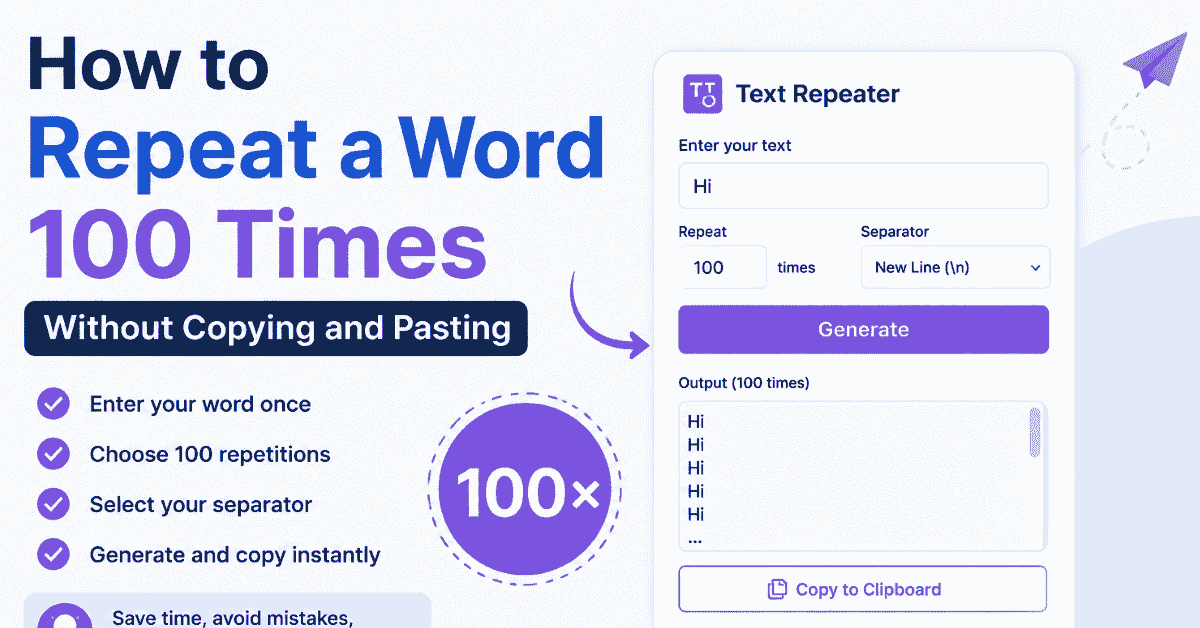
To repeat a word 100 times, you do not need to copy and paste it manually. Enter the word once in a text repeater, set the count to 100, choose how each copy should be separated, and generate the complete block.
The same method works for phrases, sentences, numbers, symbols, and emojis. You can also change the count to 10, 500, 1,000, or another value without changing the basic process.
Repeat a Word 100 Times: Quick Answer
- Open the CountFlows Text Repeater.
- Enter the word, phrase, or emoji you want to duplicate.
- Set the repetition count to 100.
- Choose a separator such as a space, new line, comma, or none.
- Generate the output.
- Check the first and last few repetitions.
- Copy the complete result.
For example, repeating Hi five times with spaces gives:
Hi Hi Hi Hi Hi
Set the same input to 100 and the tool generates all 100 copies at once.
Table of Contents
Why Use a Text Repeater Instead of Copy and Paste?
Manual copying works when you need two or three copies. It becomes unreliable when the exact number matters.
If you press Ctrl+V repeatedly, it is easy to lose count, insert an extra space, skip a line, or accidentally duplicate part of the text twice.
A repeater separates two decisions:
- what should be repeated
- how many times it should appear
You enter each value once and let the browser generate the final block. This is especially useful when you need 100, 1,000, or more repetitions.
Choose the Right Separator Before You Generate the Text
The repetition count is only half of the job. The separator controls how the finished block looks.
| Separator | 3-Repetition Example | Useful For |
|---|---|---|
| Space | Hi Hi Hi |
Compact phrases and words |
| New line |
Hi
|
Lists, testing, and easy visual checking |
| Comma + space | Hi, Hi, Hi |
Delimited lists |
| No separator | HiHiHi |
Patterns and repeated strings |
| Custom | Hi | Hi | Hi |
Custom test data or layouts |
Choose the separator before generating a large result. Fixing the formatting after 1,000 repetitions takes much longer than choosing the correct layout first.
How Large Will 100 Repetitions Be?
Large repeated blocks can become much bigger than expected. You can estimate the final character count before generating them.
If:
- L = number of characters in your input
- N = number of repetitions
- S = number of characters in the separator
then the approximate output length is:
(L × N) + [S × (N - 1)]
Example: Repeat "Hi" 100 times with spaces
"Hi" contains 2 characters. A normal space contains 1 character.
(2 × 100) + (1 × 99) = 299 characters
So 100 copies of "Hi" separated by single spaces contain approximately 299 characters.
Example: Repeat "Hello" 1,000 times with spaces
"Hello" contains 5 characters:
(5 × 1,000) + (1 × 999) = 5,999 characters
This calculation is useful when the destination has an input or character limit.
You can also paste the generated result into the Character Counter when you want an exact count.
How to Repeat Text 1,000 Times
You do not need a different method for 1,000 repetitions.
- Enter the text once.
- Change the repetition count to 1,000.
- Select the separator.
- Generate the block.
- Check its size and formatting before copying it.
Larger counts make separator choice more important. One thousand items on separate lines create 1,000 lines, while the same output separated by spaces remains one continuous block.
If your destination has a character or message-size limit, check the generated length before pasting.
Can You Repeat Sentences, Emojis, or Symbols?
Yes. A text repeater treats the complete input as one unit.
Sentence example
Input:
Thank you for your help.
Repeating it three times with line breaks produces:
        Thank you for your help.

        Thank you for your help.

        Thank you for your help.
Emoji example
Input:
❤️
Set the desired count and choose either spaces or no separator depending on the pattern you want.
The same principle works with numbers, punctuation, symbols, short phrases, and multi-word text.
What Is Repeated Text Actually Useful For?
Repeated text is not limited to playful copy-and-paste messages. It can also be useful for testing and formatting work.
| Use Case | Example | Useful Separator |
|---|---|---|
| UI testing | Fill a text area and see how it wraps or scrolls | Space or new line |
| Input-limit testing | Create a long string for a form field | No separator |
| Sample rows | Create repeated placeholder values | New line |
| Delimited test data | Generate repeated values for simple import testing | Comma or custom separator |
| Formatting experiments | Test how repeated labels look in a design | Depends on layout |
| Creative patterns | Repeat words, symbols, or emojis | Space or none |
Current text-repeater tools across the web similarly emphasize practical uses such as placeholder content, layout testing, text-field testing, repeated strings, and sample data rather than only manual copy-and-paste replacement.
Common Mistakes When Repeating Text
1. Choosing the separator after generating the output
Decide whether you want spaces, new lines, commas, or no separator before creating hundreds of copies.
2. Generating much more text than you need
A short phrase repeated 1,000 or 10,000 times can create a surprisingly large output. Start with the actual quantity you need.
3. Forgetting the destination's limits
Websites, forms, messaging apps, spreadsheets, and databases may impose their own input or message-size limits.
4. Assuming every symbol has one character
Visible characters and technical character counts are not always the same. Some emoji and Unicode sequences can contain multiple underlying code points. If an exact limit matters, measure the finished output rather than estimating it visually.
5. Sending huge repeated messages unnecessarily
Generating repeated content and sending repeated messages are different actions. Keep the final output appropriate for the application and the people receiving it.
The CountFlows 4-Point Repeat-Text Check
Before copying a large block, check four things:
- Input: Is the word, sentence, or symbol exactly what you want repeated?
- Count: Is the repetition number correct?
- Separator: Should copies use spaces, new lines, commas, no separator, or a custom string?
- Destination: Is the final output small enough and formatted appropriately for where you plan to paste it?
Checking those four settings before generation prevents most repeat-text formatting problems.
Bottom Line
The simplest way to duplicate the same word many times is to enter it once, choose an exact repetition count, select a separator, and let a text repeater generate the complete output.
Use spaces for compact text, new lines for lists, no separator for continuous patterns, and custom separators when you need a specific format.
If you need 100 or 1,000 copies, use the CountFlows Text Repeater instead of manually keeping track of repeated copy-and-paste actions.
Related Articles
Continue with closely related CountFlows guides.
Writing & Education
Academic Writing Guide: Structure, Examples & Tips for Students
A practical guide to academic writing, including structure, evidence, paragraph building, assignment command words, examples, citations, and editing.
Writing & Education
Essay Word Count Guide: How Long Is an Essay? (By Level)
Word count problems start at the outline stage, not the writing stage. Learn essay lengths by level, paragraph word counts, the exact 10% rule for common lengths, and where your word count actually goes.
Writing & Education
How Many Pages Is 2,000 Words? Single & Double Spaced
A standard page holds about 500 words single-spaced or 250 words double-spaced. See page estimates for essays, books, handwriting, speeches, and common word counts.